
🔔 Subscribe to ShipUniverse Weekly →
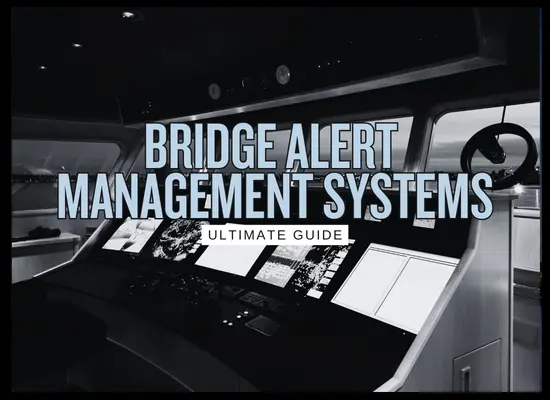
Bridge Alert Management Systems (BAM) sit in the middle of a growing problem on modern bridges: too many alarms, too many sources, and too little consistency in how they are presented. A good BAM approach helps crews sort urgent safety alerts from everything else, and helps owners reduce compliance friction when navigation and radio equipment is upgraded.
Bridge Alert Management Systems Buyer Guide
This table focuses on what owners and managers actually need to evaluate: compliance fit, integration depth, human factors, and the real cost drivers that show up during commissioning and annual tests.
Disclaimer
Final acceptance is Flag and Class specific
- BAM expectations often hinge on installation date and which bridge systems are being replaced or upgraded at the same time.
- Equipment standards and type approval references differ by maker and by bridge architecture (standalone systems vs integrated bridge).
- Any retrofit plan should include an input list and alert source list so commissioning does not turn into discovery work.
| Buy decision area | What “good” looks like | Questions that separate vendors | Evidence to request | Common pitfalls |
|---|---|---|---|---|
| Compliance fitStandards, type approval, installation rules | Clear alignment to IMO BAM performance intent and relevant test standards, backed by type approval references for your bridge equipment mix.Focus on alert handling, prioritization, acknowledgement behavior, and consistency across sources. | Can the supplier map their implementation to the relevant BAM performance expectations and test references? Are there known limitations by equipment type or protocol? | Type approval certificates, compliance statement for BAM implementation, test reports summary, and the supported alert interface list. | Assuming the bridge is compliant because one device is “BAM ready” while other alert sources are not integrated or not harmonized. |
| Bridge architectureStandalone vs integrated bridge, CAM placement | A defined architecture: where CAM lives, how alerts are routed, which displays are considered primary, and how redundancy is handled. | Where does CAM run, and what happens if that node fails? Can the bridge continue safely with local alerts? | Block diagram showing alert sources, CAM function, HMI locations, failover behavior, and network segmentation. | Over-centralizing alerts so a single point of failure becomes a bridge-wide nuisance or safety issue. |
| Alert source coverageNavigation, comms, sensors, automation | Broad coverage with realistic boundaries stated in advance: what is integrated, what remains local, and how legacy sources are treated. | Which alert sources are supported out of the box? Which require gateway modules or custom engineering? | A ship-specific “alert source register” template, with supported interfaces and any exclusions. | Under-scoping legacy sources, then discovering late that conversion modules or extra IO are needed. |
| Prioritization and filteringSafety first without hiding real risk | Clear priority handling, consistent grouping, and smart suppression logic that reduces noise without masking critical alerts. | What rules exist for duplicate alerts? How are clusters handled? Can the logic be audited and locked? | Demonstration scenarios: loss of position input, radar target tracking fault, AIS data issues, BNWAS interactions, comms alerts. | “Quiet bridge” tuning that suppresses too much, then leaves investigators questioning alert visibility after an incident. |
| HMI usabilityCrew response time and fatigue | Consistent acknowledgement workflow, readable alert lists, quick drill-down to source, and minimal mode confusion. | How many clicks from alert to root source? Can watchkeepers see history and recurrence patterns quickly? | HMI screenshots, user manual excerpts, and an onboard familiarization package. | A system that is technically compliant but operationally slow, so crews revert to local panels and ignore the central view. |
| Integration and protocolsData buses, gateways, time sync | A published protocol matrix and gateway plan, with time synchronization and network design that does not create new failure modes. | Which protocols are supported for alert transport? How is time sync handled? How are software updates controlled? | Protocol support list, gateway BOM, network drawing, change control process. | Commissioning delays caused by protocol mismatches and undocumented conversions. |
| Retrofit practicalityYard time, wiring, and commissioning effort | A realistic retrofit scope with a surveyed IO count, wiring plan, and commissioning test plan aligned to your drydock window. | What must be physically rewired vs configured? How many person-days are needed onboard? What testing is done at sea? | Site survey checklist, commissioning plan, and a clear list of ship-provided items. | Underestimating cable runs and panel work, then blowing the schedule in drydock. |
| Training and adoptionMaking it real in the SMS | Short, role-based familiarization, simple drill scenarios, and a configuration that matches how the ship is operated. | What training package exists for deck officers and ETOs? Is there a simulator mode or replay mode? | Familiarization guide, drill scripts, change log templates for configuration updates. | A system installed and forgotten, then crews treat it as background noise. |
| Lifecycle supportSpares, service footprint, obsolescence | Defined support horizon, spare strategy, and a global service footprint that matches trading patterns. | What is the support horizon for hardware and software? Typical lead times for critical spares? | Written support statement, recommended spares list, service coverage map by port region. | Buying a system that becomes a stranded asset when the service network cannot support your routes. |
| Cyber and governanceAccess control and auditability | Role-based access, configuration lockout options, audit trails, and a patch process that fits fleet governance. | Who can change alert rules and acknowledgement behavior? Is there an audit trail? How are credentials managed? | Cyber features list, access control model, update policy, audit log examples. | Allowing unmanaged remote access or uncontrolled configuration changes that vary ship to ship. |
Shortlisting signal
Three items that predict a clean installation
- A ship-specific alert source register with interfaces confirmed before the yard period.
- A commissioning plan that includes real bridge scenarios, not just “power on and acknowledge.”
- A written support horizon and a service footprint aligned to trading routes.
Bridge Alert Source Register Builder
A ship-specific register of alert sources and interfaces reduces ambiguity in BAM retrofits, keeps vendor quotes comparable, and avoids late discovery work during commissioning.
Disclaimer
Confirm the final alert source scope with Flag and Class
- This builder covers common bridge and navigation alert sources, plus typical add-ons that owners choose to include.
- Some ships have additional alert sources driven by vessel type, trade, and bridge architecture.
- Any retrofit should validate alert behaviors during commissioning scenarios, not only wiring and protocol connectivity.
Ship profile
These fields shape the output text and the planning complexity indicator.
Select alert sources
Each selected source appears in the register output, grouped by category.
Custom alert source
Register summary
Updated liveSelected sources
0
Categories covered
0
Complexity indicator
Low
RFQ scope block
BAM alert source register and deliverables
Deliverables that keep quotes comparable
Commissioning and Acceptance Test Checklist
This checklist is built around bridge scenarios, not just wiring checks. A BAM installation can be technically connected and still fail operationally if the bridge team cannot see, acknowledge, and interpret alerts consistently across sources.
Disclaimer
Align the final acceptance procedure with Flag and Class
- Use this as a practical acceptance baseline, then add any class surveyor requests and maker-specific tests.
- Testing should be done with realistic bridge modes and watch routines, including handover between stations where applicable.
- Document results and screenshots, because evidence is valuable after incidents, disputes, and audits.
Scenario checklist table
Each row is a test you can run during commissioning or sea trials, with the acceptance intent stated clearly.
| Test block | Scenario to run | Alert sources involved | Expected BAM behavior | Pass evidence to capture | Common failure modes |
|---|---|---|---|---|---|
| Baseline visibility | Trigger one known alert from each integrated source (one by one). Use a controlled approach: do not create a real safety hazard. | All selected sources in scope | Alert appears with correct source label, priority, and timestamp, and is visible at the intended bridge positions. | Screenshots of each alert entry showing source, priority, and time; record which HMI positions show it. | Missing sources, wrong source labels, inconsistent priority mapping, or alerts only visible on one display. |
| Acknowledgement workflow | Trigger an alert and acknowledge it at one station, then check other stations. | Any two primary HMI stations | Acknowledgement state is consistent across the bridge and does not require duplicate acknowledgement at each station unless intentionally designed. | Screenshot before and after acknowledgement at each station. | Duplicate acknowledgement required unexpectedly, or acknowledgement clears the alert without leaving traceable history. |
| Duplicate alerts | Create an alert that appears in both a local panel and the centralized view, then verify the system handling. | Example: steering gear plus central alert list | Duplicate alerts are grouped, linked, or clearly indicated so the watchkeeper understands it is one issue, not two independent faults. | Screenshot of grouped or linked view; note any identifiers used. | Alert flood caused by duplicates, or grouping that hides a critical safety alarm. |
| GNSS integrity scenario | Simulate loss of valid GNSS position input or integrity failure, then observe bridge alerting. | GNSS, ECDIS, AIS, radar overlays (if used) | Alerts reflect the true root issue and do not generate misleading secondary noise. Priorities remain consistent across affected systems. | Capture the primary alert and any secondary alerts, and note which is highest priority. | Conflicting priorities, unclear root cause, or missing alert history that shows the sequence. |
| Heading mismatch scenario | Create a controlled gyro comparator mismatch or sensor validity issue. | Gyrocompass, ECDIS, radar, autopilot (if fitted) | Comparator and integrity alerts are clearly identified, with proper priority and no confusing duplication across sources. | Screenshot of mismatch alert and any related alerts; note acknowledgement behavior. | Multiple alerts with inconsistent wording, or alert appears on one device but not in the central list. |
| Radar target tracking fault | Induce a target acquisition or tracking fault condition in a safe test environment. | Radar and ARPA | Alert text is clear, priority is appropriate, and source is unmistakable. | Screenshot of alert detail plus the central list entry. | Generic alert text, missing source identifier, or alerts that disappear without trace. |
| BNWAS interaction | Run BNWAS through its staged sequence and confirm how those alerts are represented in the BAM view. | BNWAS and central alert list | Stages are visible and consistent. The bridge team can interpret and respond without confusion about stage or reset status. | Record stage transitions and how they appear in the central list and any audible indicators. | Stage not visible centrally, stages appear as separate unrelated alerts, or acknowledgement logic conflicts with BNWAS reset behavior. |
| Steering gear safety | Trigger a steering gear power or pump status alert and verify bridge-wide visibility. | Steering gear controls and central alert list | Safety-relevant steering alerts are clearly prioritized and visible at the primary conning positions. | Capture alert entry, priority, and which stations show it. | Steering alerts buried among non-critical alerts or not visible at the positions actually used during pilotage. |
| Alarm flood test | Trigger multiple non-critical alerts together, then one critical alert, and observe the presentation. | Multiple sources | Critical alert remains prominent and quickly identifiable, with sensible grouping and history preserved. | Screenshot showing ordering and grouping; note time-to-identify for the critical alert. | Flood hides critical alert, list becomes unusable, or the bridge team must drill down through multiple screens to find the root issue. |
| Alert history and audit trail | Generate alerts, acknowledge, clear, then review the history list and any audit logs. | Central system | A clear, time-stamped history exists showing alert appearance, acknowledgement, and clearance with the source identifier retained. | Screenshot of history view and example log export if supported. | No usable history, history resets on reboot, or source identifiers are lost after clearance. |
| Power cycle behavior | Reboot one relevant node or simulate power loss recovery in a controlled way, then check alert persistence. | Central alert node, HMI, and at least one source | System recovers predictably, alerts re-populate correctly, and history remains consistent per design. | Note recovery time and whether alerts and history are retained. | Missing alerts after reboot, duplicated historical entries, or HMI freezes that require manual intervention. |
| Role-based access and locking | Attempt configuration changes under a standard user and an admin user. | Central system | Only authorized roles can change alert rules, mappings, or suppressions, and changes leave an audit trail. | Screenshots of access behavior and an example audit entry for a change. | Everyone can change configuration, no audit trail exists, or credentials are shared and untraceable. |
| Handover between stations | If your bridge uses multiple active stations, test acknowledgement and alert control during station changeover. | Two bridge stations | Control handover does not create phantom alerts, and acknowledgement state remains consistent. | Record before and after views and any handover prompts. | Alerts reset on handover, acknowledgements do not sync, or the crew cannot tell which station is controlling the alert list. |
Acceptance pack
What to save when the test is done
- Screenshots for each scenario showing source, priority, and acknowledgement state.
- The final alert source register and protocol or gateway matrix.
- A record of any suppressions or tuning applied after initial sea trials.
- A short crew familiarization record tied to the installed HMI.
We welcome your feedback, suggestions, corrections, and ideas for enhancements. Please click here to get in touch.